
Voice-to-CRM notes turn spoken meeting recaps into structured CRM records, using speech recognition and natural language processing to pull out contacts, deal stages, and next steps automatically. Done right, it saves reps real time and keeps pipelines cleaner. Done wrong, without a confirmation step or a tested integration, it fills your CRM with duplicate contacts and mismatched fields faster than any human ever could.
TL;DR:
- Voice-to-CRM tools face accuracy challenges, especially during live transcription in noisy environments, making post-call review crucial.
- Integration methods vary widely, with native connectors being easiest but limited, while API integrations offer control but require ongoing engineering.
- Avoid automating high-risk fields like deal amounts or legal notes without human approval to prevent slow data drift and inaccuracies.
- A pilot should focus on small, low-risk workflows such as contact notes before expanding to more complex or revenue-sensitive fields.
- Running thorough testing, setting clear confirmation policies, and monitoring error rates are essential steps before scaling voice-to-CRM deployment.
Table of Contents
- How Does Voice to CRM Notes Transcription Actually Work?
- What Productivity Gains Should You Expect From CRM Voice Transcription?
- Which Integration Approach Fits Your CRM Setup?
- How Do You Pilot Voice-to-CRM Notes Safely?
- What Are the Biggest Data-Quality Risks With Automated CRM Notes?
- What Does It Take to Actually Implement Voice-to-CRM Notes?
- When Should You Expand Voice-to-CRM, and When Should You Hold Back?
- Getting Started With a Managed Voice-to-CRM Pilot
- Where to Go Next for Implementation Details
- Sources
- FAQ
How Does Voice to CRM Notes Transcription Actually Work?
Every voice-to-CRM system runs the same basic pipeline, even when the branding looks different. It captures audio, transcribes it to text, extracts the meaningful pieces, matches them to existing records, and writes the result into your CRM.
Here's what happens at each stage:
- Capture: a mobile app, browser extension, or call platform records the conversation, either live or right after the call ends.
- Transcribe: speech recognition software converts audio to text, and accuracy here depends heavily on model quality and audio conditions, from a quiet office call to a windy parking lot voice memo, as Gartner's glossary on speech recognition notes.
- Extract: natural language processing pulls out named entities such as the contact, company, deal stage, date, and next action from the raw transcript.
- Match: the system tries to link those entities to existing CRM records, usually by email address.
- Write: the matched data gets pushed into CRM fields, either automatically or after you approve it.
Real-time processing feels faster, but async (post-call) transcription tends to produce cleaner entity extraction because the model isn't fighting live background noise or crosstalk. That tradeoff matters more than most vendors admit. Integration itself happens through native CRM connectors, middleware platforms that sit between your voice tool and CRM, or direct API calls, and each route carries different reliability and maintenance costs. Whatever route you pick, insist on a confirmation preview before anything writes to a record. It's the single cheapest safeguard against a transcription error becoming a permanent, wrong data point in someone's contact history.
What Productivity Gains Should You Expect From CRM Voice Transcription?
The core problem voice-to-CRM solves isn't speed. It's friction. Sales reps skip manual data entry not because they're lazy, but because typing notes after every call breaks their rhythm and steals time they'd rather spend selling. Harvard Business Review's research on CRM adoption points to exactly this: friction, not laziness, is what drives low CRM usage. Voice input removes that friction almost entirely.
Where voice-to-CRM earns its keep fastest: field visit recaps dictated from the car, post-call summaries logged right after hanging up, quick task creation, and one-line "next step" notes that would otherwise never get typed at all.
Managers see the second-order benefit. Cleaner, more current pipelines mean forecasts that actually reflect reality instead of stale guesses from three weeks ago. Coaching gets faster too, since a manager can review a real transcript instead of a rep's compressed, after-the-fact summary. For reporting purposes, the fields that matter most are deal stage, next action, and date fields, since those three drive almost every pipeline report your leadership team will ever ask for.
Which Integration Approach Fits Your CRM Setup?
Integration depth splits into three tiers, and picking the wrong one for your CRM setup causes most of the headaches teams report after launch.
- Native connectors: built directly into the CRM or voice platform, lowest maintenance, but limited to whatever fields the vendor decided to support.
- Middleware: a connector layer (think automation platforms) that maps data between systems, more flexible, but it's one more thing that can break during a vendor update.
- Custom API integration: full control over field mapping and logic, but it needs ongoing engineering attention.
Per-CRM quirks matter more than the tier you choose. Some enterprise CRM stacks require native computer telephony integration or special licensing tiers just to support mid-call reads or native writes, according to a depth guide on voice AI CRM integration. API rate limits, in particular, tend to surprise teams that scale a pilot from ten users to two hundred without checking quota tiers first.
Authentication deserves the same scrutiny. Set up OAuth with least-privilege scopes so your voice tool can write notes and tasks without also getting write access to billing or admin settings it never needs. Latency is the other quiet tradeoff: mid-call reads give reps real-time context but sacrifice some transcription accuracy, while post-call async writes are slower but generally more accurate. On the security side, redact sensitive details where possible, store raw transcripts separately from structured CRM fields, and confirm your vendor's data retention and storage region match your compliance requirements.
Pro Tip: Before rolling out to your full team, run one full week where every voice-to-CRM entry gets manually double-checked against the original call. It's the fastest way to catch a systematic mapping error before it multiplies across hundreds of records.
How Do You Pilot Voice-to-CRM Notes Safely?
A rushed rollout is how teams end up spending more time cleaning CRM data than they saved by dictating it. Follow this sequence instead:
- Define pilot scope and success metrics. Pick one workflow, like post-call notes for a five-person team, and track data completeness, duplicate rate, and time spent on human review.
- Test matching logic in a sandbox. Confirm the system correctly matches attendees by email, maps fields the way you expect, and respects write permissions before a single real record is touched.
- Set your confirmation policy. Decide which fields get a preview screen before writing, and build a process for reviewing an unmatched-contacts queue at least weekly.
- Expand in stages. Move from pilot to a wider set of fields, then to the full organization, only after error rates drop and reviewers stop flagging repeat issues.
- Monitor weekly. Track confidence scores on transcriptions, count of unmatched records, and how often reps override an auto-filled field.
Pro Tip: Start with a single narrow workflow, like contact notes only, before adding tasks, deal stages, or scheduling. Teams that try to automate everything at once almost always end up rolling features back.
What Are the Biggest Data-Quality Risks With Automated CRM Notes?
Duplicate contacts are the most common failure, and they almost always trace back to the same root cause: an attendee's email on the call doesn't match the email already on file in the CRM. Keeping a secondary-email field on contact records and reviewing the unmatched queue weekly, a practice detailed in Layer3Labs' guide to AI meeting notes, stops this from compounding month over month.
The second risk is scope creep on what gets auto-written. Notes and task creation are low-risk fields to automate freely. Deal stage, deal amount, and anything tied to revenue or legal exposure should stay gated behind a human click, not a model's confidence score. One implementation writeup on AI meeting notes and CRM syncing found that limiting auto-writes to non-sensitive fields while requiring approval for high-impact edits, paired with a weekly review of unmatched items, prevents the kind of slow data drift that eventually makes a CRM unreliable.
- Redact sensitive personal details from stored transcripts where possible.
- Store raw transcripts separately from the structured fields pulled from them.
- Limit who can read full transcripts to the people who actually need them.
What Does It Take to Actually Implement Voice-to-CRM Notes?
Getting from "we want this" to a working pilot usually means more than picking software. It means:
- Mapping which CRM fields voice input should touch, and which stay off-limits.
- Testing the integration in a sandbox before any live record gets written to.
- Building a confirmation interface reps will actually use, not skip.
- Creating short training materials so new users understand what gets auto-filled versus flagged for review.
A partner running this kind of rollout measures pilot success against the same markers covered above, duplicate rate, review time, confidence scores, then adjusts prompts and field mapping based on what the data shows before handing over governance documentation for the ongoing process.
When Should You Expand Voice-to-CRM, and When Should You Hold Back?
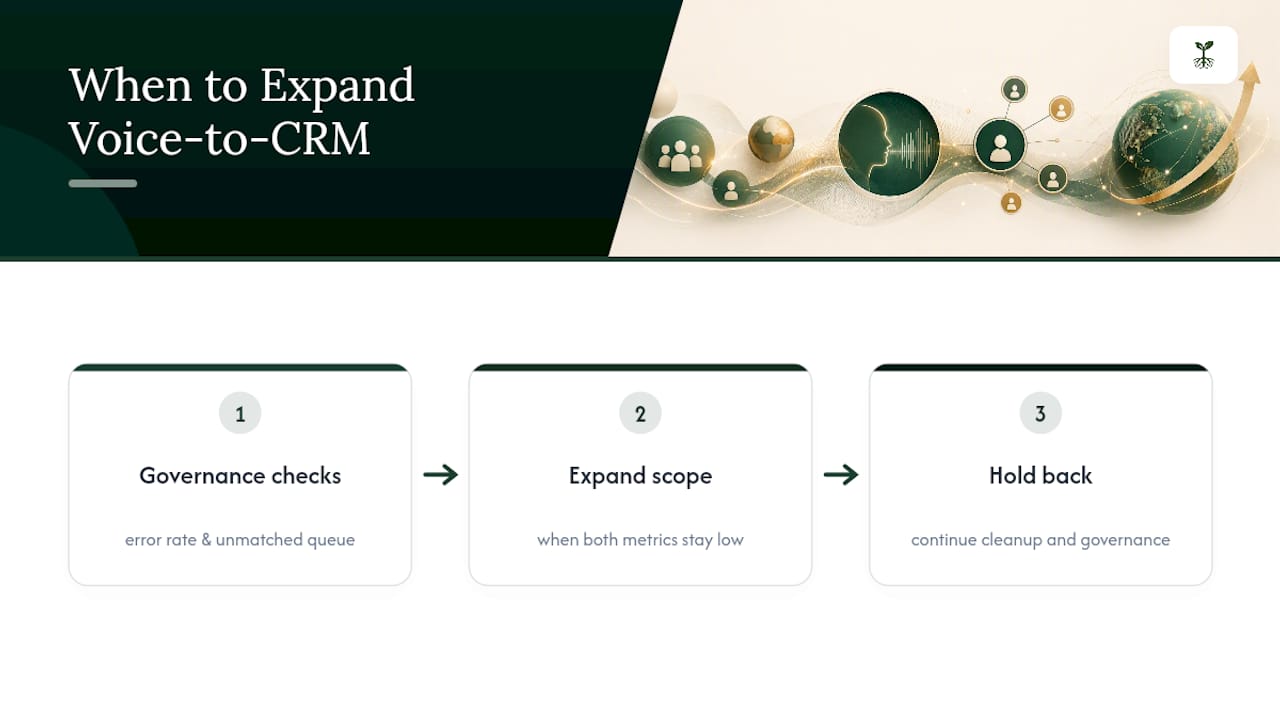
Voice input is a speed layer for routine fields, not a replacement for careful data entry on anything complex or revenue-sensitive. Multi-line quotes, contract terms, and legally sensitive notes still belong on a screen, where a rep can see and correct every field before it saves.
Expand scope only after your error rate drops and your unmatched queue stays consistently small. Rushing wider adoption before governance is solid just moves your cleanup problem from typing to editing.
Getting Started With a Managed Voice-to-CRM Pilot
If everything above sounds right but your team doesn't have the bandwidth to build sandbox tests, confirmation screens, and governance templates from scratch, that's a real gap, and it's a common one for solo professionals and small sales teams juggling their own client work.

A specialized service provider can handle AI workflow audits and custom automations for exactly this kind of administrative bottleneck, without asking you to become your own integration engineer. Rather than leaving you to piece together middleware, API permissions, and field-mapping logic on your own, such an AI operations service can build the pilot scope, sandbox test the matching logic, and document the confirmation and review process so your CRM data stays clean from week one. If your calendar is already full of client calls, that setup work is exactly where an outside operations partner earns its place. Visit Rooted Up's services page to talk through what a voice-to-CRM pilot would look like for your setup, and see the other AI operational packages built for solo professionals managing this on their own.
Where to Go Next for Implementation Details
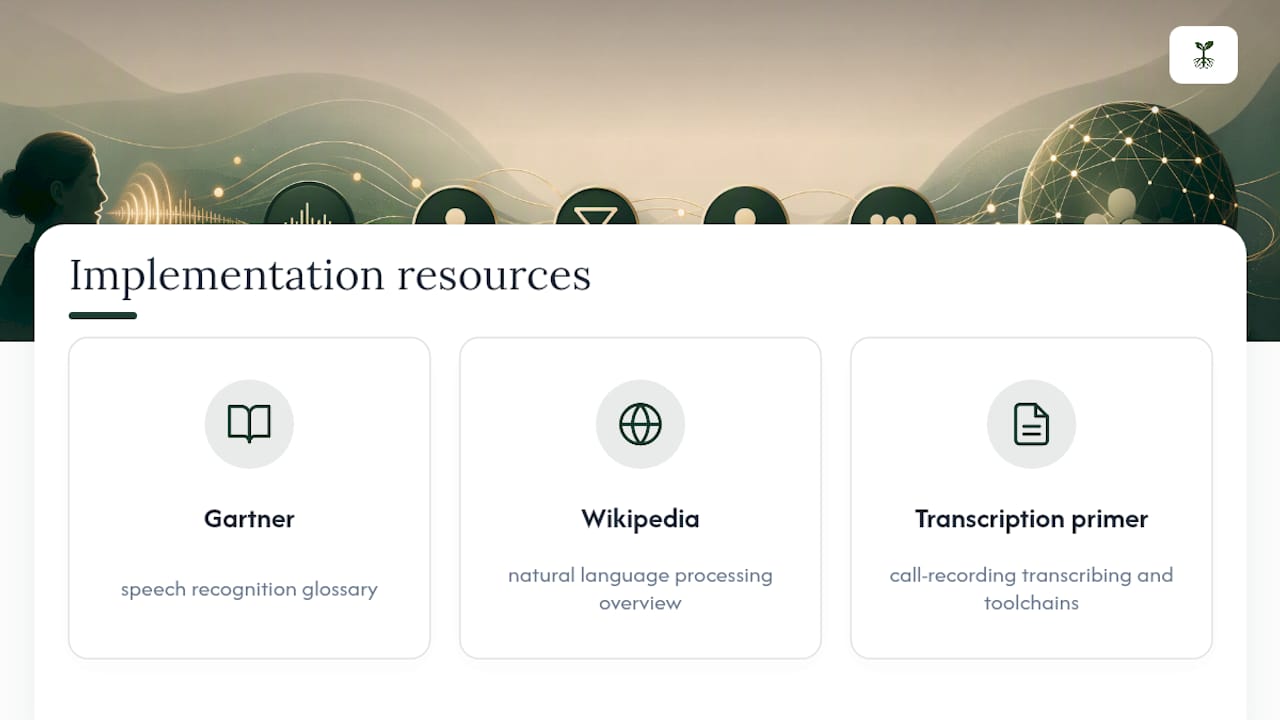
For deeper technical grounding, review Gartner's glossary on speech recognition, the natural language processing overview on Wikipedia, and a practical primer on transcribing call recordings for toolchain options.
Sources
- Gartner — Speech recognition (glossary)
- Layer3Labs — AI Meeting Notes to CRM
- Wikipedia — Natural language processing
FAQ
How Can I Convert My Voice Into CRM Notes?
Use a voice-to-CRM tool with a native connector, middleware, or API integration to your CRM, speak your update, and review the confirmation preview before it writes to the record.
Can Salesforce Convert Voice to Text?
Salesforce supports voice-to-text through native and third-party integrations, though full mid-call reads or native writes sometimes require higher licensing tiers or added computer telephony integration.
Can I Do Voice to Text on CRM Notes Without Special Software?
Most phones and browsers include basic voice-to-text dictation, but it won't map speech to structured CRM fields like deal stage or next action the way dedicated voice-to-CRM tools do.
Will CRM Be Replaced by AI?
AI is changing how CRM data gets entered and organized, but CRMs still need structured, verified records; voice-to-CRM tools work best as an input layer alongside human review, not a full replacement for the system itself.