
Newsletter automation is a set of trigger-driven email sequences that run without you — start today by building a 3–4 email welcome sequence tied to a single segmentation rule (new subscriber vs. current customer).
Three wins you can implement this week:
- Welcome sequence: 3–4 emails over 10–14 days, triggered the moment someone subscribes
- Re-engagement sequence: 3 emails targeting contacts with no opens in 90+ days
- One behavioral trigger: a high-intent link click routes the subscriber into a short 2–3 email follow-up
A functional system typically goes live within a few weeks, with full CRM integration following shortly after, depending on data quality. Keep your hard-bounce rate below 2% from day one. Rooted Up builds and monitors these systems for solo professionals on a monthly subscription basis, so you never have to manage the setup alone.
Table of Contents
- Why newsletter automation matters for solo professionals
- What are the core automated sequences you need to run?
- How do you architect newsletter automation that actually works?
- What KPIs should you track, and what do healthy benchmarks look like?
- A step-by-step setup checklist with a realistic timeline
- Common mistakes that kill newsletter automation results
- Rooted Up handles newsletter automation for solo professionals
- Key Takeaways
- Automation is the backbone, not a bonus feature
Why newsletter automation matters for solo professionals
The core case is simple: you have one set of hands, and manual email management eats them. Moving from manual blasts to behaviorally segmented automated sends can significantly improve open rates within two months — a case study saw open rates rise from 18% to 41% and recovered about $18,400 in dormant contacts revenue. Staff time on newsletters was substantially reduced.
What that time recovery actually means for a solo professional:
- Hours reclaimed from list management and formatting go directly into billable client work or product creation
- Consistent, automated follow-up replaces the sporadic manual sends that lose leads between sessions
- Behavioral segmentation means click rates can be substantially higher than standard broadcast sends
Automation also handles the reliability problem, and if you're looking to amplify your results through multi-channel coordination, tools like Sogrow's AI-powered Instagram growth complement your email automation effectively. A subscriber who downloads your free guide and hears nothing for three weeks is a missed opportunity. An automated nurture sequence that fires the moment they download? That relationship builds itself.
What are the core automated sequences you need to run?
Five sequences cover most of the revenue and engagement work a solo professional needs, according to practitioner guidance for solopreneurs. Build them in this order.
| Sequence | Trigger | Duration | Primary Goal |
|---|---|---|---|
| Welcome | New subscription | 10–14 days, 3–5 emails | Build trust, set expectations |
| Nurture / newsletter template | Ongoing, scheduled | Monthly or bi-weekly | Educate, stay top of mind |
| Behavioral follow-up | High-intent link click | 10–14 days, 3–4 emails | Convert interest to inquiry |
| Post-purchase / onboarding | Purchase or booking confirmed | 14–30 days, 3–4 emails | Deliver value, reduce churn |
| Re-engagement / win-back | No opens for 90 days | 10–14 days, 3 emails | Reactivate or suppress |
Short content examples for each:
- Welcome (Email 1): "Here's what you signed up for — and what's coming next." Deliver the promised resource immediately.
- Nurture: One useful tip tied to your core service, one client story, one soft CTA.
- Behavioral follow-up: "You clicked on [topic] — here's the one thing most people miss about it."
- Post-purchase: Confirm the booking, set expectations, answer the top three questions you always get.
- Re-engagement (Email 3): "This is the last email we'll send unless you'd like to stay — here's how."
Keep welcome sequences to a few emails over about two weeks. Longer sequences risk diminishing goodwill before the relationship starts.
How do you architect newsletter automation that actually works?
Three layers make or break a system: logic, delivery rules, and entry/exit conditions.

Logic (branching and conditions) means your sequences respond to what subscribers actually do. A contact who clicks your pricing page gets a different follow-up than one who reads a blog post. Use a tag-based model for flexibility, but enforce one rule: a current customer overrides all other segment flags. That single hierarchy prevents a paying client from receiving a prospect nurture sequence.
Delivery rules cover timing, frequency caps, and send-time optimization. Set a limit of a small number of emails per week per contact across all sequences combined. Most mid-tier platforms include send-time optimization — turn it on. It costs nothing and consistently improves open rates.
Entry/exit conditions are where most solo professionals skip steps. Every sequence needs an explicit exit: a purchase event, a booking confirmation, or a completed sequence tag. Without exit rules, a subscriber who converts mid-sequence keeps receiving prospect emails. Configure purchase or booking events to move contacts out of nurture flows automatically. For AI-assisted workflow integration, tools like MailerLite combined with n8n and AI drafting assistants can reduce weekly management time to under 30 minutes.
Pro Tip: Before going live, test every path with three separate email accounts (Gmail, Outlook, and one other). Subscribe, fire each trigger manually, verify UTM parameters, and confirm exit conditions work. Silent failures — sequences that fire incorrectly or not at all — are invisible until a subscriber tells you.
Suppress contacts with no opens or clicks for several months to protect deliverability. Lists with many inactive contacts can suffer noticeable reductions in inbox placement.
What KPIs should you track, and what do healthy benchmarks look like?
Track these five metrics. Everything else is noise until these are stable.
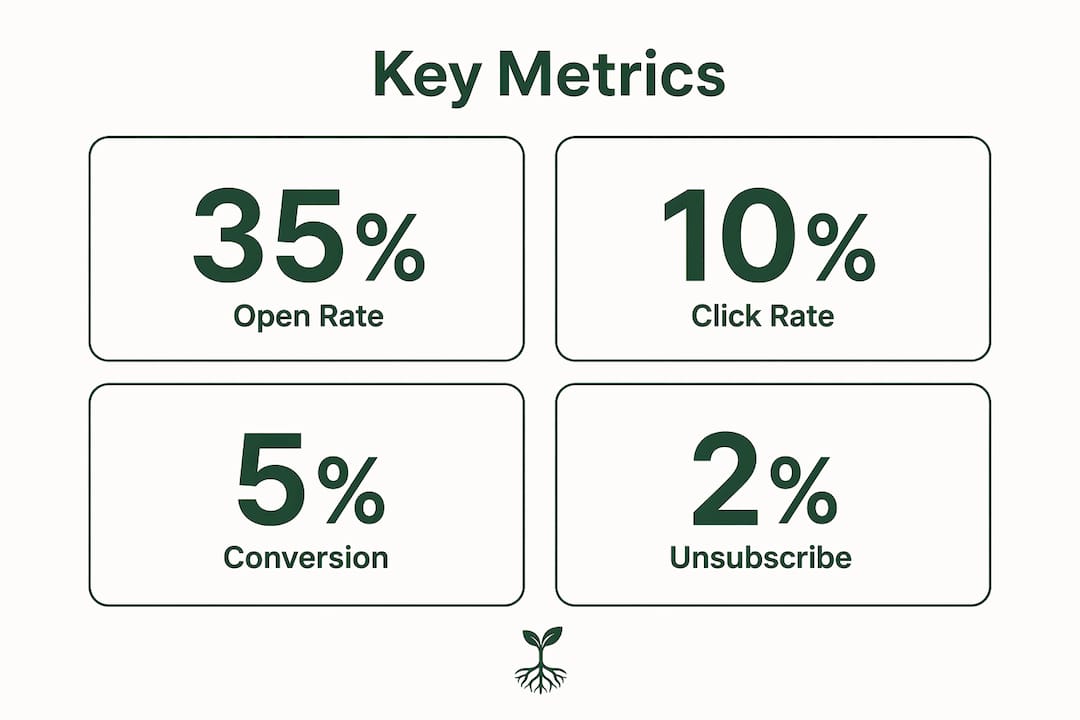
| Metric | Healthy Range | Action If Below Standard |
|---|---|---|
| Open rate (active segment) | typically above average with behavioral segmentation | Audit subject lines and send timing |
| Click-to-open rate (CTOR) | typically healthy for active segments | Improve body copy and CTA clarity |
| Hard-bounce rate | Below 2% | Clean list immediately, check domain auth |
| Unsubscribe rate | ideally low per send | Review frequency and content relevance |
| Sequence completion rate | generally high | Check exit rules and email deliverability |
Behavioral segmentation is the single highest-impact change you can make to these numbers. Open rates above 35% are achievable (see case study reporting improvement from 18% to 41% in 60 days) when sequences are built on real subscriber behavior rather than broadcast timing. A hard-bounce rate above 2% is a red flag that demands immediate list cleaning, not just a note to fix later.
A step-by-step setup checklist with a realistic timeline
The shortest path to a working system: clean your list, create four core segments, build the welcome and re-engagement sequences, add one behavioral trigger, then run QA tests before going live. Total setup runs 14–23 hours spread across two to four weeks.
Day 1:
- Export your list, remove hard bounces, flag contacts with no opens in 90+ days
- Confirm SPF, DKIM, and DMARC are configured on your sending domain
- Set up four segments: current customers, past customers, prospects, dormant
Week 1:
- Build and activate the welcome sequence (4 emails, trigger on new subscription)
- Build the re-engagement sequence (3 emails, trigger on 90-day no-open)
- Create your base newsletter template with a content block, promo block, and CTA
Weeks 2–4:
- Configure 2–3 behavioral triggers (high-intent click, no-open suppression, purchase conversion)
- Connect your CRM or booking system so segment status updates automatically
- Set frequency caps and enable send-time optimization
- Run full QA: subscribe with test accounts, fire each trigger, verify every link and UTM
30/60/90-day reviews:
- 30 days: check open rates and CTOR by segment; adjust subject lines if needed
- 60 days: review sequence completion rates; prune any underperforming emails
- 90 days: suppress contacts still dormant after re-engagement; audit list health
Pro Tip: Write all your emails in a document before you open the workflow builder. Knowing exactly what you want to say cuts platform setup time from hours to minutes. The blank page inside a workflow tool is where most solo professionals stall.
Ongoing maintenance after rollout runs about 1 hour per week, mostly reviewing metrics and updating the monthly newsletter template block.
Common mistakes that kill newsletter automation results
Most problems come from building too fast or skipping the foundational steps.
- Automation bloat: Too many sequences running simultaneously overwhelm subscribers and create logic conflicts. Build the five core sequences first; add complexity only after those are stable.
- No exit rules: A prospect sequence that keeps running after someone books a call is one of the most common complaints subscribers have. Every sequence needs a purchase or booking exit.
- Skipping list hygiene: Launching automation on a dirty list accelerates deliverability damage. Clean before you build.
- Impersonal messaging: Automation that sounds like a form letter loses trust fast. Write each email to one person, use your name in the From field, and keep it conversational.
- Ignoring segmentation: Sending the same sequence to current customers and cold prospects is a fast way to lose both. The one-primary-segment rule (current customer overrides all other flags) prevents most of this.
- No testing protocol: A broken link in your welcome sequence is a terrible first impression. Test every path before activation.
- Treating automation as set-and-forget: Review sequences every 30–60 days. Triggers, timing, and content all need periodic updates as your audience grows.
Pro Tip: If you're hiring someone to build your automation, ask for their testing protocol upfront. No test plan, no deliverability checks, and no CRM integration plan are the three clearest red flags that the work will need to be redone.
Rooted Up handles newsletter automation for solo professionals
Solo professionals who want the results without the setup time have a direct option. Rooted Up builds, tests, and monitors complete newsletter automation systems as part of its monthly subscription plans, specifically for solo professionals in Tennessee and beyond.

What's included in a typical engagement: core sequences (welcome, re-engagement, behavioral triggers), CRM integration so segment status updates automatically, deliverability checks (SPF/DKIM, bounce monitoring, suppression rules), AI-assisted content templates for your monthly newsletter block, and a monthly performance review. Onboarding follows the same phased timeline covered in this guide: list audit and segmentation in week one, sequences live by week two, full CRM integration and QA complete by week three or four.
The difference from a traditional agency is the subscription model. No large upfront retainer, no long-term contract lock-in. You get consistent, monitored output every month at a predictable cost. Check out Rooted Up's services and subscription plans to see which tier fits your current list size and goals, or review automation marketing agency options in Tennessee if you want to compare approaches before committing.
Key Takeaways
Newsletter automation built on behavioral segmentation consistently outperforms manual broadcasts — case studies have shown open rates rising from 18% to 41% within 60 days and click rates up to 70% higher once core sequences are live.
| Point | Details |
|---|---|
| Start with the welcome sequence | Build 3–5 emails over 10–14 days; this single sequence delivers the fastest return on setup time. |
| Hard-bounce threshold is 2% | Exceed it and deliverability suffers immediately — clean your list before launching any sequence. |
| Full system live in 2–4 weeks | List audit through CRM integration takes 14–23 hours spread across two to four weeks. |
| Exit rules prevent the biggest errors | Every sequence must exit automatically on purchase or booking — no exceptions. |
| Rooted Up as a subscription option | If you'd rather skip the DIY setup, Rooted Up's monthly plans cover build, testing, and ongoing monitoring. |
Automation is the backbone, not a bonus feature
The conventional framing treats automation as something you add once your business is "big enough." That gets it exactly backwards. A solo professional with 200 subscribers and a clean welcome sequence will outperform one with 2,000 subscribers and a monthly manual blast every single time. The leverage is in the system, not the list size.
What I find most underestimated is the exit-rule problem. Solo professionals spend hours building sequences and almost no time thinking about when those sequences should stop. A prospect who books a call and then receives three more "are you ready to get started?" emails doesn't just unsubscribe — they lose trust. The suppression logic is where the real professionalism shows.
The smallest experiment worth running right now: a 3-email welcome sequence with a suppression rule that fires when someone books or buys. That alone puts you ahead of most solo professionals operating today. If you'd rather have it built and monitored for you, Rooted Up's subscription plans are designed for exactly that.