
The Services editor on Google Business Profile lets service businesses list exactly what they do and gives customers direct ways to act on it, from booking a slot to sending a quote request. To start, open your listing and click Edit services. Google Business Profile Help walks through every field if you get stuck.
Key Takeaways
A complete, accurately grouped service list on Google Business Profile reduces friction between customer discovery and actual bookings or quote requests.
| Point | Details |
|---|---|
| Start with Edit services | Click into your Business Profile's Services editor to see what's already listed and what's missing. |
| Use exact locations for service areas | List specific cities or postal codes, up to 20, rather than a vague radius claim. |
| Keep coverage within two hours | Google's own guidance ties reduced relevance to service areas that stretch too far from your base. |
| Avoid policy triggers in names | Never put pricing, phone numbers, or personal info directly into a custom service name. |
| Consider managed support for scale | Rooted Up handles ongoing profile setup and optimization for businesses managing multiple locations or limited time. |
Table of Contents
- What Are Google Business Profile Services?
- Is Your Business Eligible to Use the Services Editor?
- How Do You Add and Edit Services?
- How Do You Set Up Your Service Area Correctly?
- What Customer Actions Do Listed Services Enable?
- Why Do Custom Services Get Rejected, and How Long Do Changes Take?
- Is Google Business Profile Free, and When Should You Get Help?
- What Rooted Up Has Learned From Managing Service Listings
- Get Your Services Set Up the Right Way
- Where to Go for Official Google Business Profile Help
- Frequently Asked Questions
- Sources
What Are Google Business Profile Services?
The Services editor is the section of your listing that shows customers what you actually do, and it appears right on your profile in Search and on Maps. A plumber's profile might display suggested labels like "Install faucet" or "Repair toilet," pulled from Google's own category list. You're not stuck with those, though.
You can add custom services too. Say you run a mobile detailing business and Google's suggestions don't cover "ceramic coating touch up." Type it in yourself.
Once your list grows, group related services together so customers scan it faster, and add short descriptions or prices where it makes sense. A clean, priced service menu reads as more credible than a bare list of one word offerings, and the Business Profile Services solutions let that menu appear directly where customers are already searching.
- Suggested services come pre-loaded based on your business category
- Custom services let you describe niche offerings in your own words
- Grouping and pricing make the list easier to scan and more persuasive
Is Your Business Eligible to Use the Services Editor?
Google splits service businesses into two setups: service-area businesses that travel to customers (mobile groomers, HVAC techs, tutors) and hybrid businesses that do both, seeing customers at a location and traveling to them. A hybrid electrician who has a shop but also does house calls keeps the storefront address visible. A dog walker who works entirely at clients' homes should hide theirs.
If you don't see the Services editor at all, check three things first: that you're an owner or manager on the account, that your listing is verified, and that your business category actually supports services. Some categories simply don't get the feature.
Pro Tip: If your category doesn't unlock the Services editor, try switching your primary category to a closer match. Google Business Profile Help lists which categories qualify.
How Do You Add and Edit Services?
Adding services takes a few minutes once you know where to click. Here's the process:
- Sign in to your Business Profile and go to Edit services.
- Choose a suggested service from your category, or select Add custom service.
- Fill in a short description and, if it fits your business, a price or price range.
- Group similar services together so your menu reads cleanly.
- Save your changes and check how the listing looks on Search and Maps.
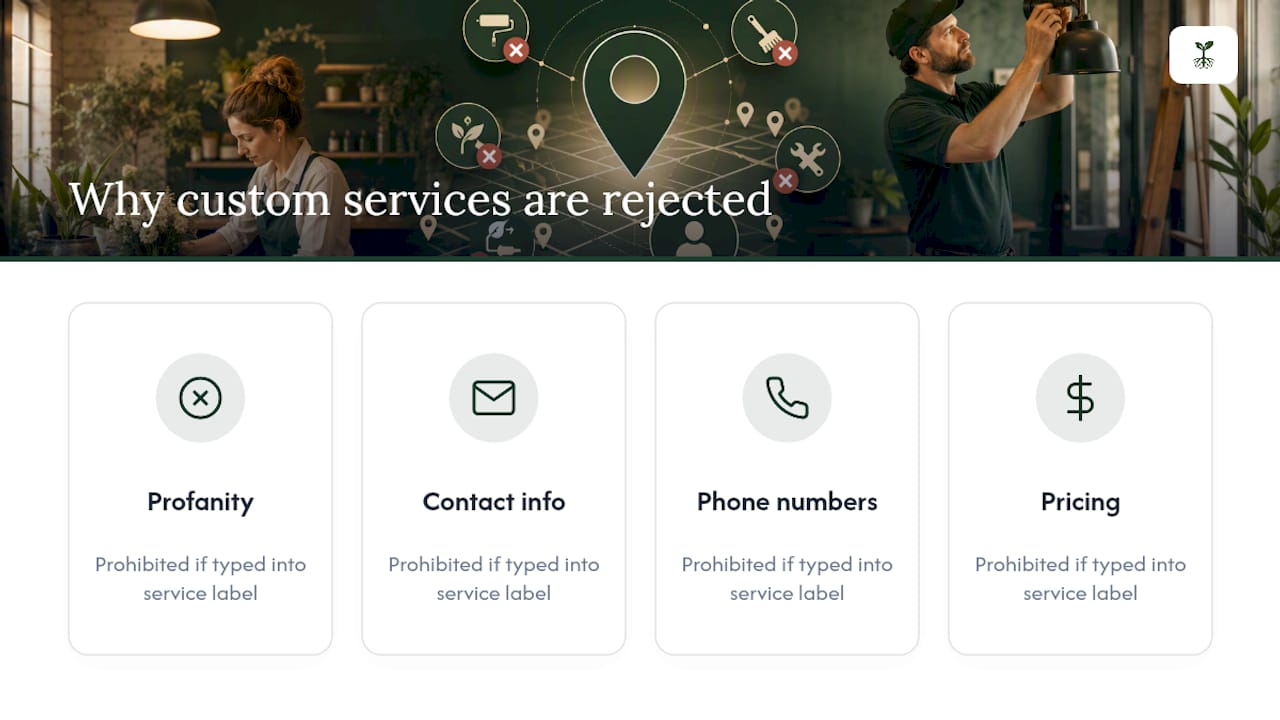
The Services editor is where most of this happens, and it's stricter than it looks. Custom service names get auto-rejected if they include profanity, gibberish, personal contact information, phone numbers, or pricing typed directly into the name field. Keep names short and descriptive, like "Same-day drain cleaning," and put the actual price in the price field, not the label.
Running a business with dozens of services across multiple locations? Google's Business Profile APIs let developers manage services in bulk instead of clicking through the editor one entry at a time.
Pro Tip: Write service names the way a customer would search for them, not the way your invoice describes them. "Emergency water heater repair" beats "WH-102 service call" every time.
How Do You Set Up Your Service Area Correctly?
You can define up to 20 service areas by city, postal code, or named region, but there's no radius tool, so you're picking specific places rather than drawing a circle on a map. Google's own guidance suggests keeping your total coverage within roughly a two-hour drive of your base. Go wider than that and you risk looking less relevant for searches close to home, since the algorithm weighs proximity heavily.
Precision matters more than breadth here.
- Pick areas by city, postal code, or named region within your service area limits
- Keep your overall service area within a reasonable driving distance from your business base to maintain local relevance
- Hybrid businesses keep both a visible address and listed service areas; pure service-area businesses hide the address entirely
Pro Tip: If you serve three counties but only get consistent work in one, drop the other two. A tighter, accurate service area beats a padded one that dilutes your local relevance.
What Customer Actions Do Listed Services Enable?
A complete service list turns your profile from a static business card into something customers can actually act on. Depending on your category and setup, listed services can trigger:
- Direct booking through the profile
- Quote request submissions
- Click-to-call
- Messaging through Google
- A visible service menu with prices
That's the real value: fewer clicks between someone finding you and someone hiring you. A search-to-call chain with three extra steps loses people. A search-to-book chain with one click keeps them. Google's Business Profile Services solutions are specifically designed to support bookings, quote requests, and service menus without sending customers off-platform. And a fuller profile tends to see more engagement than a thin one, according to Google's own guidance on profile completeness.
Why Do Custom Services Get Rejected, and How Long Do Changes Take?
Most rejections trace back to the same handful of policy violations: profanity, personal information, phone numbers, or prices typed into the service name itself. Google's system flags these automatically.
Verification adds another layer of delay. Google verifies listings by phone or postcard, and profile edits, including new service areas, sometimes go through a review period before they're visible publicly.
- Keep service names free of contact info, pricing, and inappropriate language
- Expect some edits to sit in review before they appear live
- If a service area change doesn't show up right away, give it a few days before troubleshooting
Is Google Business Profile Free, and When Should You Get Help?
Creating and using a Business Profile costs nothing. Google confirms it's a free tool, and support articles cover most setup questions directly.
Hiring help makes sense when you're managing multiple locations, don't have time to keep the profile current, or your category has confusing eligibility rules. At that point, weigh the hours you'd spend against what a manager charges.
- Support articles cover most common issues without needing to contact a representative
- Multiple locations or limited time are the clearest signals to outsource management
What Rooted Up Has Learned From Managing Service Listings
Rooted Up manages Google Business Profiles for solo professionals and service-area businesses across categories where a messy service list quietly costs jobs. Clients who go from a bare, one-line listing to a fully grouped, priced service menu typically see more quote requests within the first few weeks, simply because customers stop guessing what's included. The pattern holds regardless of trade: plumbers, tutors, landscapers, all the same fix.

Get Your Services Set Up the Right Way
There's a real cost to a half-finished service list: customers bounce to a competitor whose profile actually tells them what's included and what it costs. Rooted Up handles the setup work most business owners keep putting off, from auditing your current profile to writing service names that convert, grouping them logically, and setting your service area boundaries so you're not diluting your own local relevance.

The scope is straightforward: an initial audit and verification check, a full services buildout, and ongoing monthly optimization as categories or offerings change. Rooted Up structures this as a monthly plan, with a one-time setup option for businesses that just need the initial buildout done right. Most clients see visible changes to their profile within the first couple of weeks, with quote request and booking activity building from there. If your service list has been sitting untouched for months, Rooted Up's Google Business Profile management is worth a look before your next slow week.
Where to Go for Official Google Business Profile Help
For direct policy or verification questions, Google's own documentation stays the most current source available.
- Manage your services on your Business Profile
- Manage your service areas
- Business Profile for service businesses overview
- Business Profile Services solutions
Local visibility content from Southern California business resources also covers Maps discoverability if you want a broader view beyond services alone.
Frequently Asked Questions
Do I need to verify my profile before adding services? Yes. Verification confirms you control the business, and Google may hold certain edits for review until that's confirmed.
Can I add prices to my services? Yes, pricing fields exist in the Services editor, but you cannot embed a price inside the service name itself.
How many service areas can I list? Up to 20, chosen by city, postal code, or named region. There's no radius setting.
Why was my custom service rejected? Usually because the name included prohibited content: profanity, contact details, phone numbers, or pricing typed directly into the label.
Is Google Business Profile really free to use? Yes, creating and maintaining a listing costs nothing. Paid help refers to hiring someone to manage or optimize it for you, not to the platform itself.
Sources
- Manage your service areas for service-area & hybrid businesses - Google Business Profile Help
- Get Listed on Google - Google Business Profile
- Manage your services on your Business Profile - Google Business Profile Help