
A custom GPT can embed your company's specific knowledge, automate one repeatable job, and enforce your brand voice or intake process without a developer. Solo professionals, small teams, and single departments benefit most when the job is narrow. Before you build one, sanitize any data you upload and assign a named owner. Skip that step and you inherit a security problem instead of a time savings tool.
TL;DR:
- Custom GPTs are most effective for narrow, rule-based tasks like drafting proposals or answering FAQs, which are repeated frequently in small teams.
- Building and deploying a tailored GPT typically takes around an hour for a prototype and an afternoon for a business-ready version with testing.
- Proper source file hygiene—including clear naming, metadata, and small, logical chunks—directly improves retrieval accuracy and reduces maintenance.
- Enabling actions should be delayed until data read-only capabilities are stable, with careful attention to security risks like prompt injection or data exfiltration.
- Managed services like Rooted Up can handle ongoing updates, governance, and security, preventing GPT drift and reducing internal operational burdens.
Table of Contents
- What Is a Custom GPT for Business, and When Should You Build One?
- High-Value Use Cases That Pay Off Fast
- How to Build a Custom GPT: A Step-by-Step Checklist
- Getting Knowledge Files and Instructions Right
- Capabilities vs. Actions: What to Turn On, and When
- Testing, Rollout, and Governance: The Security Checklist
- When DIY Is Enough, and When You Need a Managed Partner
- Rooted Up: Managed AI Operations Without the Learning Curve
- Sources
- FAQ
What Is a Custom GPT for Business, and When Should You Build One?
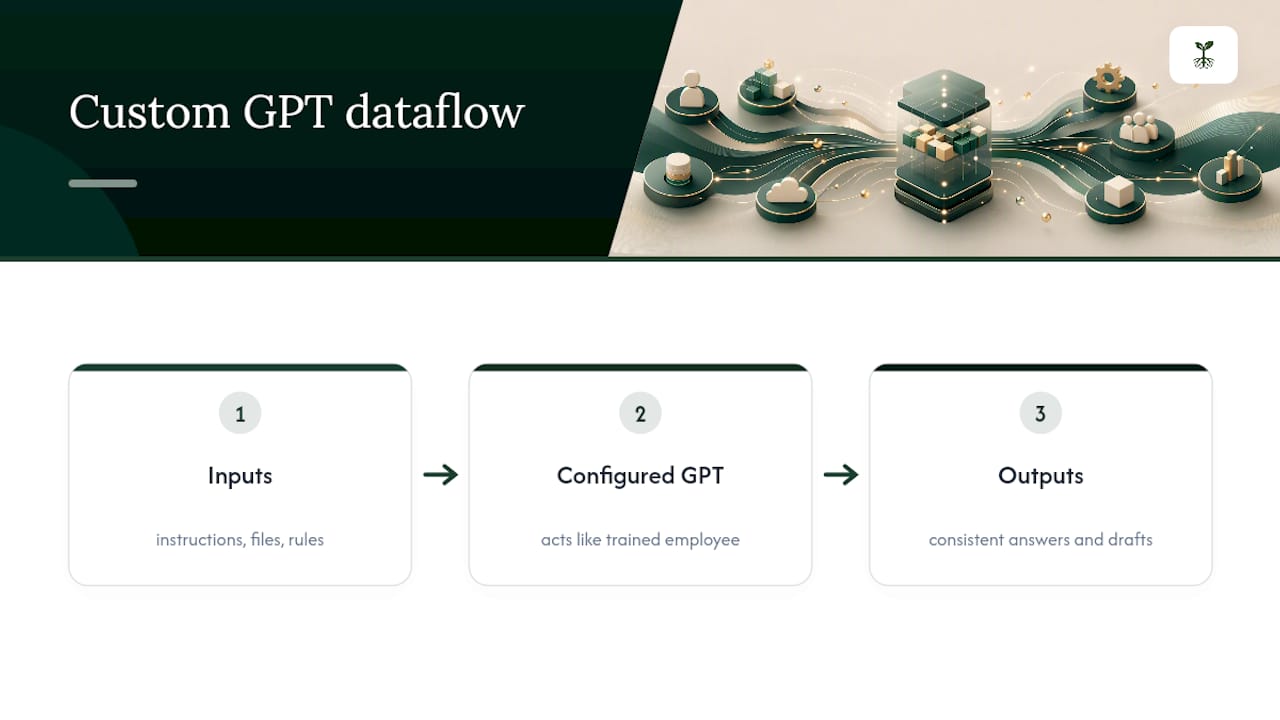
A custom GPT is a version of ChatGPT you configure with your own instructions, files, and rules, so it acts like a trained employee instead of a general-purpose chatbot. You feed it your pricing sheet, your tone guide, or your client intake questions, and it responds the way you would, every time. That consistency is the entire pitch behind tailored AI models for small operations: you're not buying intelligence, you're buying a repeatable version of the judgment you already apply manually.
The right moment to build one is when you notice yourself answering the same question, drafting the same type of email, or explaining the same policy more than a few times a week. If the task changes every time, a custom GPT will frustrate you. If it's the same shape with different details, that's exactly the kind of job GPT for small business owners tends to fix fastest. OpenAI's own documentation walks through the builder fields and file limits, and it's worth skimming before you commit to a use case.
High-Value Use Cases That Pay Off Fast
Not every business process deserves its own GPT. The ones that do share a trait: they're repetitive, rule-based, and currently eating someone's afternoon. Here's where solo professionals and small teams tend to see the fastest return:
- Sales playbook assistant — drafts proposals and objection responses from your actual pricing and case studies; saves hours of prep per pitch. Owner: sales lead or founder.
- Brand voice writer — turns rough notes into on-brand blog posts, emails, or social captions in your established tone. Owner: marketing or content owner.
- Client onboarding guide — answers new-client FAQs and walks them through paperwork, cutting onboarding calls. Owner: operations manager.
- Report generator — compiles weekly or monthly summaries from structured inputs into a consistent format. Owner: whoever currently builds those reports by hand.
- Intake qualifier — screens inbound leads against your service criteria before a human ever responds. Owner: front-desk or intake staff.
- Policy Q&A assistant — answers internal questions about procedures, benefits, or compliance rules pulled from your handbook. Owner: HR or office manager.
Scoping around one of these narrow business use cases, rather than trying to build a do-everything assistant, is what tends to separate a GPT people actually use from one that gets abandoned after a week. That pattern holds up in practical enterprise GPT guidance as well: tight scope and curated files drive the accuracy gains, not raw model power.
How to Build a Custom GPT: A Step-by-Step Checklist
Building a working prototype rarely takes more than an hour once you know the sequence. Getting to something business-ready, tested, and safe to hand to your team takes longer, usually an afternoon plus a few rounds of revision, based on typical build timelines documented for business GPTs. Here's the order that actually works.
- Define the job in one sentence. Use this formula: [who uses it] + [what task] + [what method] + [what output]. Example: "Front-desk staff qualify inbound leads using our five intake criteria and produce a yes/no with next steps."
- Confirm your account setup. Custom GPT creation and sharing within a workspace generally require a paid ChatGPT plan; check your workspace permissions before you invest time building.
- Write role and workflow instructions. Cover five things in order: who the GPT is, what inputs it should expect, the steps it follows, the output format, and what it should refuse to do.
- Curate your source files before uploading anything. Remove anything sensitive, outdated, or irrelevant. A clean, small file beats a bloated one every time.
- Enable only the capabilities the job needs. Don't turn on web browsing, code execution, or actions just because they're available. Add them later if a real gap shows up.
- Build an evaluation set. Write 10 to 15 real prompts you expect people to use, including a few edge cases and a few that should trigger a refusal. Run them in Preview before publishing.
- Choose your publish scope and set initial goals. Decide whether it's private, link-shared, or workspace-wide, and pick one or two metrics you'll track from day one, like time saved per use or number of escalations avoided.
Pro Tip: Write your refusal rules before you write anything else. Deciding upfront what the GPT should never answer, quote a price, share a client name, override a policy, saves you from patching a hole after someone's already exploited it.
Getting Knowledge Files and Instructions Right
Retrieval accuracy comes down almost entirely to file hygiene. Plain text and Markdown files retrieve more reliably than PDFs, since the model doesn't have to fight formatting to find the answer. If you're stuck with a PDF, convert it first.
A few habits make a measurable difference:
- Break large documents into logical chunks of roughly 10 to 30 pages rather than uploading one 200-page manual.
- Name files descriptively ("2026_pricing_tiers.md," not "Document3.pdf") so the model, and you, can tell what's inside at a glance.
- Add a short metadata header, 3 to 5 lines, at the top of each file noting what it contains, when it was last updated, and what kinds of questions it should answer.
- Keep your instruction set under 1,500 words, organized into clear blocks: identity, task, rules, output format, and refusals.
- Assign one person to own updates, monthly for anything that changes often (pricing, policies), quarterly for stable reference material.
This structure mirrors what makes retrieval accuracy hold up in practice: smaller, cleaner chunks beat dense uploads almost every time.
Capabilities vs. Actions: What to Turn On, and When
Capabilities are built-in features like data analysis or image generation. Actions are different: they let your GPT call an external API, meaning it can actually read or write data in another system, like your CRM or scheduling tool. That distinction matters more than most people realize when they're setting one up.
- Start with capabilities only. They're self-contained and carry far less risk than actions.
- If you need actions, begin with read-only integrations, pulling data, not writing it, and require human approval before enabling anything that changes records.
- Budget ongoing time for auth maintenance. API keys expire, OAuth tokens need refreshing, and someone has to own that upkeep.
- Actions introduce real risk: prompt injection and data exfiltration are documented attack paths, not theoretical ones, according to security research on custom GPT platforms.
Pro Tip: If you're connecting a GPT to your CRM or revenue tools, loop in whoever manages your revenue operations workflow before you flip on write access. A GPT that can update a record is a GPT that can also corrupt one.
Testing, Rollout, and Governance: The Security Checklist
The security research behind most of this guidance found something worth sitting with: analysts mapped 26 potential attack paths across conversation, file, network, command, and authentication channels in custom GPT platforms, and 19 of them were partially or fully realizable in testing. That's not a reason to avoid building one. It's a reason to treat governance as part of the build, not an afterthought.
- Write 10 to 15 test prompts covering normal use, edge cases, and known failure modes, then run them before every publish.
- Restrict who can create and publish GPTs in your workspace, and require a simple approval step before anything goes live.
- Assign a named owner to every GPT you deploy. No owner means no one notices when it goes stale.
- Isolate sensitive data with role-based access so a GPT built for one team can't surface files meant for another.
- Never upload raw CRM exports or unredacted client reports. Use sanitized or synthetic test data instead, always.
- Track usage, accuracy, and staleness. Set a simple feedback loop so users can flag wrong answers, and check monthly whether source files still match reality.
Enterprise-style oversight, meaning approval workflows and role-based access control, isn't overkill for a five-person practice. It's the difference between a tool people trust and one someone quietly stops using after it gives out the wrong policy once. If any knowledge file touches patient or client records, review HIPAA marketing compliance requirements before anything gets uploaded.
When DIY Is Enough, and When You Need a Managed Partner
A single GPT with no integrations, built for one clear job, is a fine weekend project. Once you're running several GPTs, adding write actions, or needing consistent governance across a team, the maintenance burden outgrows a solo schedule fast. That's when a managed program earns its cost: it takes ownership, updates, and analytics off your plate entirely.
— Jason
Rooted Up: Managed AI Operations Without the Learning Curve
Building one clean GPT is manageable on your own weekend. Keeping five of them updated, monitored, and secure while you're also running client work is a different job entirely, and it's the exact gap Rooted Up was built to close for solo professionals and small practices.

Rooted Up handles the setup, the governance checklist, and the ongoing content upkeep so your custom AI applications stay accurate instead of quietly drifting out of date. That includes writing the instructions, curating knowledge files the right way (see the Google Business Profile optimization guidance on structuring public content safely), and assigning real ownership instead of letting a GPT go stale after month two. Solo doctors, consultants, and service-based entrepreneurs get a working system without hiring an engineer or babysitting a security checklist themselves. If automating business processes with a properly governed GPT sounds like the missing piece in your operation, start with a look at Rooted Up's service plans and book a discovery call to see what a managed build would look like for your practice.
Sources
- Create a Custom GPT securely — Varonis
- Custom GPT security overview — Reco AI
- Security and privacy analysis of custom GPT platforms — arXiv
- Creating and editing GPTs — OpenAI Help Center
FAQ
Can I Use ChatGPT for My Business?
Yes. A paid ChatGPT plan lets you build custom GPTs configured with your own instructions and files, and you can restrict sharing to your workspace or a private link.
Can I Make My Own Custom GPT Without Coding Experience?
Yes. The GPT builder uses plain-language instructions and file uploads, no code required, though adding actions that call external APIs does require some technical setup or help from someone who can configure it.
Is CustomGPT.AI Free?
CustomGPT.AI is a separate third-party platform from OpenAI's built-in GPT builder, and it operates on paid pricing tiers rather than a free plan; check its current pricing directly before assuming feature parity with ChatGPT's native builder.
Can I Use a Logo ChatGPT Made for My Business?
You can use AI-generated images for business purposes, but treat any generated logo as a draft. Have it checked for trademark conflicts and refined by a designer before locking it into your brand.
How Much Does It Cost to Build and Maintain a Custom GPT?
Building one requires a paid ChatGPT plan, and the real cost is ongoing: someone has to update knowledge files, monitor accuracy, and manage access. A managed provider like Rooted Up folds that into a monthly plan instead of an internal hire.